Plandex
Terminal-based AI coding agent that plans and executes large tasks spanning multiple files.
Plandex - Github Copilot alternative
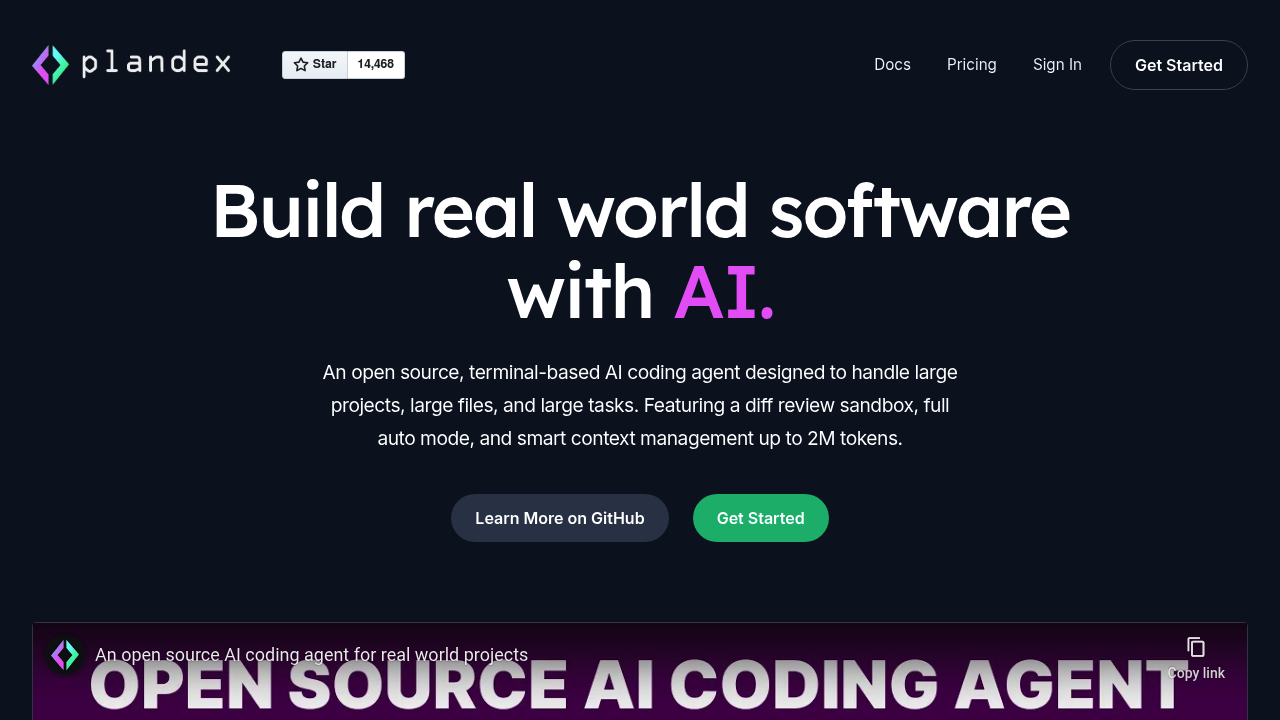
Plandex is a terminal-based AI development tool that handles coding tasks spanning many steps and dozens of files. It manages up to 2M tokens of context directly and indexes directories with 20M tokens or more using tree-sitter project maps. Unlike Github Copilot alternative tools that focus on inline suggestions, Plandex features a cumulative diff review sandbox that keeps AI-generated changes separate from project files until ready. Solo developers benefit from its full autonomy mode that can load files, plan implementations, execute commands, and debug automatically while maintaining granular control when needed.
Strengths
- Handles 2M token effective context window with default model pack, loading only what's needed for each step
- Configurable autonomy ranges from full auto mode to fine-grained control depending on task requirements
- Automated debugging of terminal commands including builds, linters, tests, and deployments, plus browser app debugging with Chrome
- Full version control for every plan update, including branches for exploring multiple paths or comparing different models
- Context caching used across OpenAI, Anthropic, and Google models to reduce costs and latency
- Fast project map generation and syntax validation with tree-sitter supporting 30+ languages
Weaknesses
- Terminal-only interface requires command-line comfort; no IDE editor integration
- Steeper learning curve compared to inline suggestion tools
- Data sent to Plandex Cloud is retained for debugging and improvement, may be used for model training
- Less suitable for quick single-line code completions during active typing
- Requires context switching from editor to terminal for AI interactions
Best for
Developers working on large, complex projects requiring multi-file changes, architectural planning, and automated debugging workflows through terminal-based interfaces.
Pricing plans
- Open Source (Self-hosted) — Free — Unlimited plans, requires own model provider accounts and API keys, MIT license
- Cloud Integrated Models (Trial) — $10 one-time — Includes $10 in credits, no separate accounts needed
- Cloud Integrated Models — $45/month — Includes $20 monthly credits (never expire), credits charged at provider price plus 7% markup
- Cloud BYO API Key (Trial) — Free — Up to 10 plans with 20 responses per plan, requires own API keys
- Cloud BYO API Key — $30/month — Unlimited plans, use own OpenRouter.ai or model provider accounts
Tech details
- Type: Terminal-based AI coding agent
- IDEs: Terminal/CLI only; works alongside any editor but no direct IDE integration
- Key features: Diff review sandbox, automated debugging, project-aware chat mode, git integration with commit message generation, REPL mode with fuzzy auto-complete, curated model packs combining providers
- Privacy / hosting: Self-hosted option available (MIT license). Cloud mode retains data for debugging and improvement; deleted accounts purged within 14 days. Data shared with OpenAI, OpenRouter.ai, Google Vertex AI, AWS, and other services.
- Models / context window: Supports models from Anthropic, OpenAI, Google, and open source providers. 2M token effective context window with default model pack, can index 20M+ tokens via tree-sitter. Supports local models via Ollama without authentication.
When to choose this over Github Copilot
- Project requires resilient handling of large files and complex changes spanning dozens of files
- Need automated debugging workflows for terminal commands and browser applications
- Want full version control with branching for AI-generated changes before applying to codebase
- Prefer terminal-based workflows with complete autonomy or fine-grained control options
When Github Copilot may be a better fit
- Primary workflow centers on inline code completions during active typing
- Prefer seamless IDE integration without context switching to terminal
- Need instant suggestions for single-line or small code snippets
- Want simpler onboarding without learning terminal commands or REPL interface
Conclusion
Plandex excels at planning and executing large coding tasks through a terminal-based workflow. Its strength lies in handling complex, multi-file changes with full autonomy or granular control, backed by robust version control and debugging capabilities. The tool suits developers comfortable with command-line interfaces who tackle substantial architectural tasks rather than inline code completion. With flexible hosting options and transparent pricing, Plandex positions itself as an open source alternative for production-ready AI-assisted development.
Sources
- Official site: https://plandex.ai/
- Docs: https://docs.plandex.ai/hosting/cloud/
- Pricing: https://plandex.ai/
FAQ
Q: Can Plandex integrate directly with my IDE like VS Code or JetBrains?
No. Plandex operates exclusively through the terminal/CLI. It works alongside any editor but requires switching to the terminal for AI interactions rather than providing inline IDE integration.
Q: How does Plandex handle large codebases compared to context-limited tools?
Plandex manages up to 2M tokens of context directly and can index directories with 20M+ tokens using tree-sitter project maps. The default model pack loads only what's needed for each step, making it practical for large projects.
Q: What happens to my code when using Plandex Cloud?
Data sent to Plandex Cloud is retained for debugging and improvement and may be used for future model training. If you delete your account, all associated data is removed within 14 days. Self-hosting provides complete data control.
Q: Can I use Plandex with my existing Claude Pro subscription?
Yes, Plandex can use your Claude Pro or Max subscription when calling Anthropic models. You'll be prompted to connect your subscription when first running Plandex.
Q: Does Plandex require a git repository to function?
No, Plandex doesn't require your project to be in a git repo, but it integrates well with git if you use it. Git integration enables features like commit message generation and optional automatic commits.
Q: How much do the AI model calls actually cost with Plandex?
With Integrated Models mode, credits are deducted at the model provider's price plus 7% to cover credit card fees and incremental costs. Context caching is used across OpenAI, Anthropic, and Google models to reduce costs and latency. BYO mode charges you directly through your provider accounts.