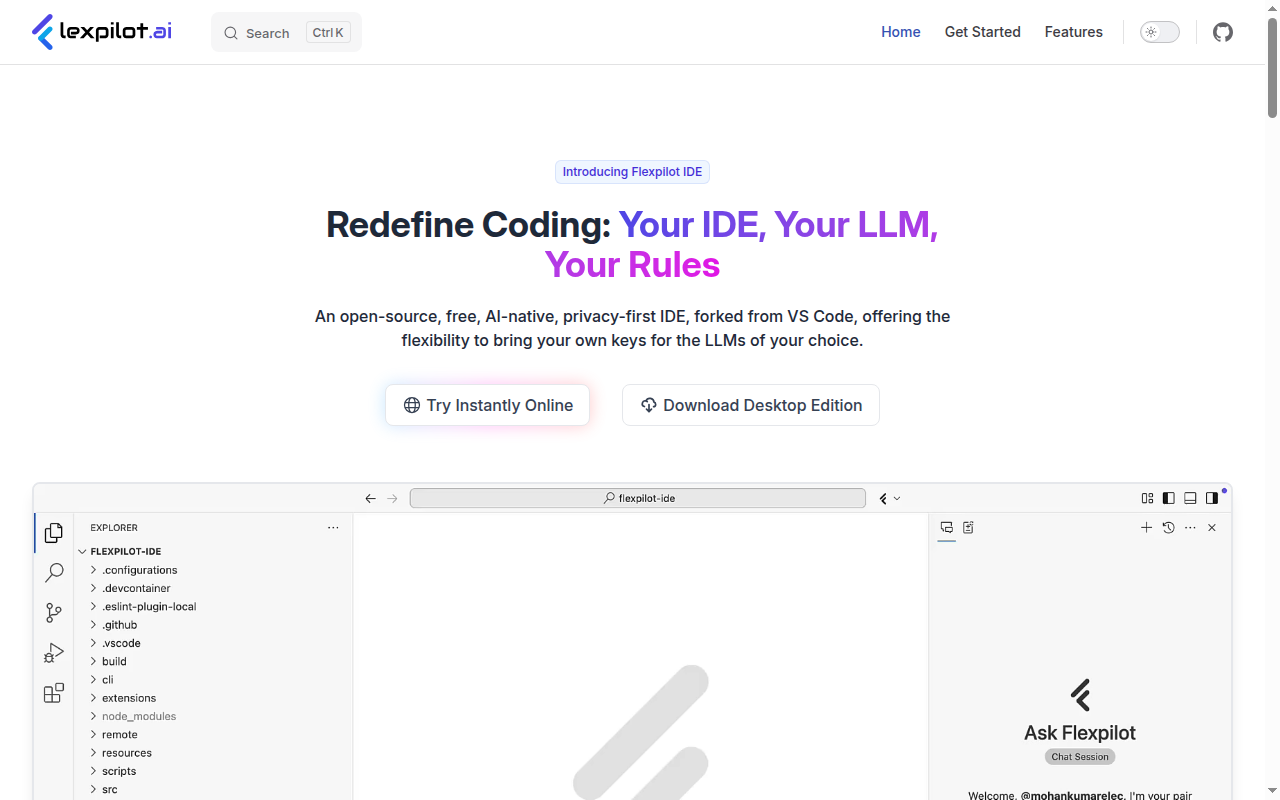
Flexpilot IDE: A GitHub Copilot Alternative for Privacy-First AI Development
Flexpilot IDE is an open-source, privacy-first AI-native IDE developed by Flexpilot AI and forked from VS Code. It allows developers to bring their own API keys for any major LLM provider and supports GitHub Copilot extensions from the VS Code Marketplace. As a GitHub Copilot alternative, it is best suited for developers who want the familiar VS Code experience combined with full control over which AI model they use, where their data goes, and without a recurring subscription tied to a single vendor.
Flexpilot IDE vs. GitHub Copilot: Quick Comparison
| Flexpilot IDE | GitHub Copilot |
|---|
| Type | AI IDE (VS Code fork) | IDE Extension / CLI |
| IDEs | Standalone (VS Code fork) | VS Code, JetBrains, Vim, Neovim, Visual Studio, Xcode |
| Pricing | Free (bring your own API keys) | Free for students/OSS; Individual $10/mo; Business $19/mo; Enterprise $39/mo |
| Models | Any OpenAI, Anthropic, Mistral, Google, Groq, or custom provider key | OpenAI GPT-4o, Claude 3.5 Sonnet, Gemini 1.5 Pro (multi-model) |
| Privacy / hosting | Requests go directly to your chosen model provider; no Flexpilot AI middleware | Cloud (GitHub/Microsoft) |
| Open source | Yes | No |
| Offline / local models | Yes (via Ollama or compatible local providers) | No |
Key Strengths
- Completely Free with No Subscription: Flexpilot IDE itself is free to download and use. You pay only for the AI model API calls you make directly to providers like Anthropic or OpenAI at their standard API rates. There is no Flexpilot subscription, no seat license, and no usage cap tied to Flexpilot's billing.
- Privacy-First Architecture: Requests from Flexpilot IDE go directly from your machine to the model provider you configure. No data passes through Flexpilot AI's servers. This makes it suitable for developers working with sensitive codebases, proprietary algorithms, or in regulated industries where data residency matters.
- Open Source and Auditable: Flexpilot IDE's source code is available on GitHub, allowing security-conscious developers and enterprises to audit the tool before deploying it. This is a meaningful differentiator against GitHub Copilot, which is closed-source, and against other VS Code forks that may have proprietary telemetry layers.
- Local Model Support: Flexpilot IDE supports local model providers such as Ollama, enabling fully offline AI coding assistance with models like Llama 3, Mistral, or CodeGemma running on your own hardware. This is the only way to achieve true offline AI code completion without any data leaving your machine.
- GitHub Copilot Extension Compatibility: Flexpilot IDE is designed to be compatible with existing GitHub Copilot extensions from the VS Code Marketplace. Developers who rely on specific Copilot chat participants or extensions can continue using them inside Flexpilot IDE while switching the underlying model to their preferred provider.
- Full Featured AI Toolset: Flexpilot IDE includes code completions, multi-file editing, panel chat with codebase context, inline chat, quick chat (keyboard shortcut), terminal chat, voice chat, commit message generation, symbol renaming, token usage insights, and custom instructions — matching the full surface area of GitHub Copilot's feature set.
Known Limitations
- Standalone App, Not an Extension: Flexpilot IDE is a fork of VS Code, not an extension you install into an existing IDE. This means migrating your existing VS Code settings, extensions, and keybindings requires a setup step. Developers with complex VS Code configurations may find this transition more involved than installing a plugin.
- No JetBrains or Other Editor Support: Like other VS Code forks, Flexpilot IDE only serves VS Code-compatible workflows. Developers who primarily use IntelliJ IDEA, PyCharm, Rider, or other JetBrains products will need a different solution.
- Smaller Community and Ecosystem: As a newer open-source project, Flexpilot IDE has a smaller user community and fewer resources, tutorials, and third-party integrations compared to GitHub Copilot's broad ecosystem. GitHub Copilot benefits from Microsoft's engineering investment and GitHub's scale.
- API Key Management Overhead: Using Flexpilot IDE effectively requires setting up and managing API keys for one or more model providers. For teams, this means each developer needs their own keys or a shared key distribution mechanism — adding some administrative overhead compared to a centralized Copilot Business subscription.
Best For
Flexpilot IDE is best suited for privacy-conscious developers, security teams, and engineers working in regulated industries who want an open-source AI IDE with full control over their model provider and data flow. It is also ideal for developers who want to experiment with local AI models (Ollama, Llama 3) for completely offline coding assistance. Teams looking to avoid recurring AI subscriptions while still accessing frontier models via their own API keys will find Flexpilot IDE cost-effective.
Pricing
- Free: Flexpilot IDE is completely free to download and use. You pay only for API usage at the rates charged by your chosen model provider (e.g., Anthropic, OpenAI, Groq). Local models via Ollama have no per-token cost.
Prices are subject to change. Check the official site for current details.
Tech Details
- Type: AI IDE (VS Code fork)
- IDEs: Standalone (VS Code-based)
- Key features: Code completions, multi-file editing, panel chat, inline chat, quick chat, terminal chat, voice chat, commit message generation, symbol renaming, token usage insights, custom instructions, GitHub Copilot extension support, BYOM (Bring Your Own Model)
- Privacy / hosting: Privacy-first — requests go directly to the model provider you configure, no Flexpilot AI middleware
- Models / context window: Any provider with an API key: OpenAI, Anthropic, Mistral, Google, Groq, Ollama (local); context window depends on the selected model
When to Choose This Over GitHub Copilot
- You want a completely free AI coding IDE with no subscription fees — paying only for the actual model API tokens you use.
- Your work involves sensitive or proprietary code that must not pass through any third-party AI vendor infrastructure (direct-to-provider routing).
- You want to run AI coding assistance fully offline using local models like Llama 3 or Mistral via Ollama.
- You value open-source software and want to audit or modify the IDE's source code before deploying it in a professional environment.
When GitHub Copilot May Be a Better Fit
- You need support for JetBrains, Neovim, Visual Studio, or Xcode — editors that Flexpilot IDE does not support.
- Your team is on an enterprise contract that requires a single managed subscription, centralized usage reporting, and SSO integration with GitHub Enterprise.
- You want GitHub's native PR review AI, issue summarization, and Copilot Workspace features that are deeply embedded in the GitHub platform.
- You prefer not to manage individual model provider API keys and want a simple, managed AI subscription with predictable monthly billing.
Conclusion
Flexpilot IDE is an excellent GitHub Copilot alternative for developers who prioritize privacy, open-source transparency, and flexibility in model selection. Its completely free pricing model (bring-your-own API keys), local model support via Ollama, and GitHub Copilot extension compatibility make it a strong choice for individual developers and privacy-first teams. The tradeoff is giving up GitHub Copilot's broad multi-editor support and deeply integrated GitHub platform features.
Sources
FAQ
Is Flexpilot IDE free?
Yes. Flexpilot IDE is completely free to download and use. The only costs are the API tokens you consume at your chosen model provider's rates. If you use Ollama with local models, there are no per-token costs at all.
Does Flexpilot IDE work with VS Code extensions?
Yes. Flexpilot IDE is a fork of VS Code and supports installing extensions from the VS Code Marketplace, including GitHub Copilot extensions (chat participants, code actions). Most standard VS Code extensions work without modification.
How does Flexpilot IDE compare to GitHub Copilot?
GitHub Copilot is a proprietary extension with a subscription tied to GitHub/Microsoft's model infrastructure. Flexpilot IDE is open-source, free, and routes AI requests directly to the model provider you configure. Flexpilot supports local models for fully offline use, while Copilot requires a cloud connection. Copilot supports more editors; Flexpilot is VS Code-only.
Can Flexpilot IDE run AI models locally without the internet?
Yes. Flexpilot IDE supports local model providers such as Ollama. With Ollama running on your machine and a local model like Llama 3 or Mistral downloaded, you can use Flexpilot IDE's full AI feature set entirely offline with no data leaving your machine.