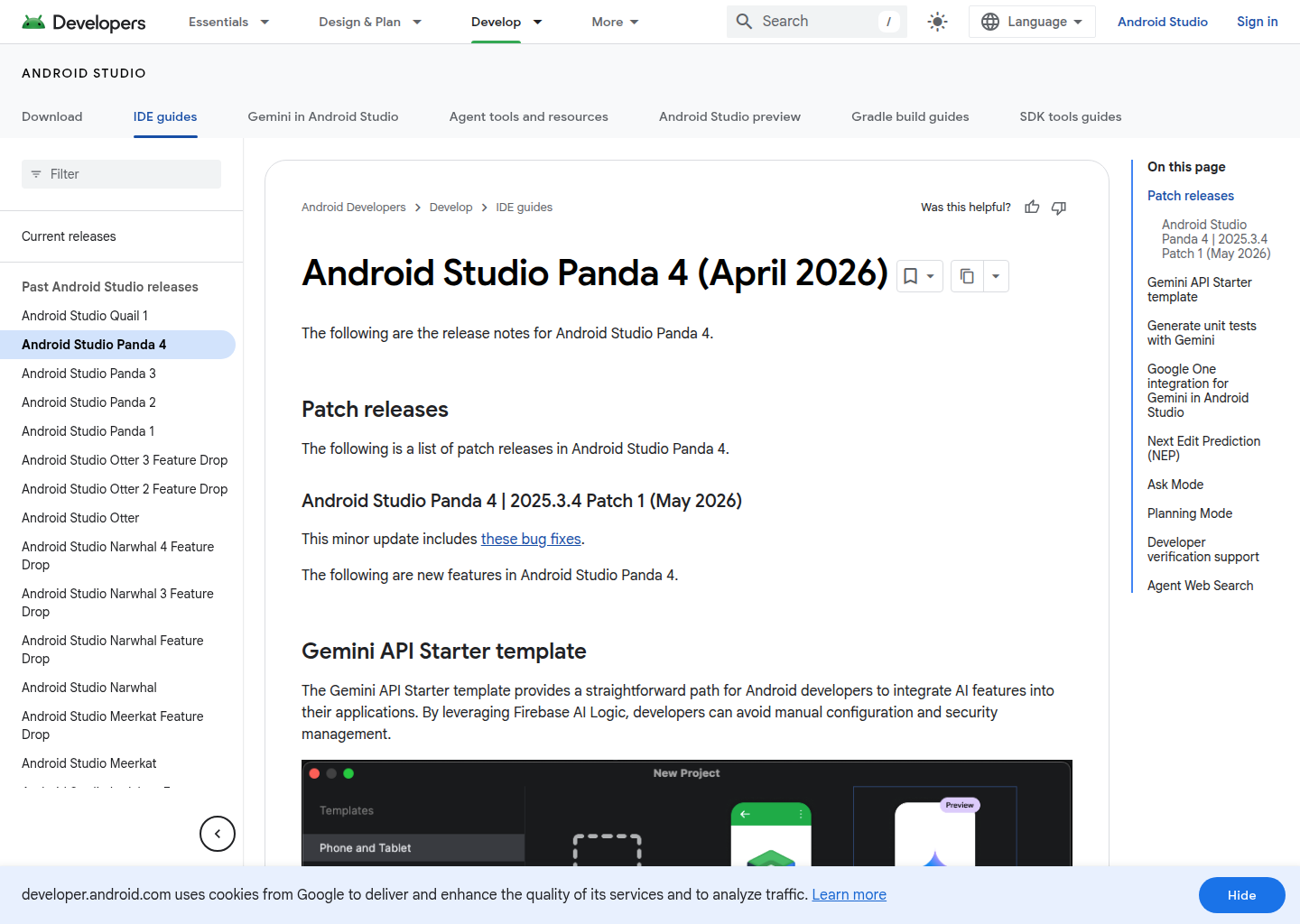
Android Studio Panda 4: A GitHub Copilot alternative for ai ide workflows
Android Studio Panda 4 is a AI IDE developed by Google. Android-focused IDE release that adds enhanced Agent Mode, Planning Mode, Next Edit Prediction, and deeper Gemini-assisted workflows inside Android Studio. As a GitHub Copilot alternative, it is best suited for teams that want a different balance of control, interface, and workflow scope than a classic IDE assistant provides.
Quick Comparison
| Android Studio Panda 4 | GitHub Copilot |
|---|
| Type | AI IDE | IDE extension and chat / completion assistant |
| Primary surface | Full Android Studio IDE for Android development with Gemini features embedded directly into the JetBrains-based desktop workflow | VS Code, JetBrains, Visual Studio, Xcode, Neovim, CLI |
| Pricing | Android Studio itself remains available without a separate license fee, and public coverage describes core IDE plus some integrated AI capabilities as free to use. | Free for students and OSS; Individual $10/mo; Business $19/mo; Enterprise $39/mo |
| Models | The official release notes describe Gemini-powered features and say enhanced Agent Mode is available with Google One AI Pro or Ultra, but they do not publish one simple context-window matrix on the reviewed public pages | GitHub-managed multi-model routing on supported plans |
| Privacy / hosting | Desktop IDE workflow backed by Google services for Gemini features; exact data handling depends on the plan and connected Google services | Cloud (GitHub / Microsoft) |
| Open source | No | No |
| Offline / local models | No for advanced Gemini features; the IDE runs locally, but the AI assistance depends on Google's hosted services | No |
Key Strengths
- Purpose-built for Android developers: Android Studio Panda 4 is not trying to be a generic coding environment for every language and workflow. Its advantage is depth in Android development, where Gemini features sit directly inside the native IDE context teams already use for builds, previews, debugging, and platform-specific iteration.
- Agentic features are tied to a real production IDE: Planning Mode, Next Edit Prediction, and the enhanced Agent Mode are meaningful because they land inside a tool Android teams already trust for shipping work. That can be more valuable than a generic assistant if the team's world is already centered on Android Studio.
- Strong fit for mobile-specific engineering habits: A lot of Copilot alternatives are broad by design. Panda 4 is narrower, but that specialization is exactly why it can win for Android shops: it keeps AI help close to Gradle, Android tooling, emulator flows, and the rest of the mobile engineering stack.
Known Limitations
- Narrower audience than a general coding assistant: Android Studio Panda 4 is compelling mainly for teams building Android apps. Buyers looking for one assistant across many stacks, editors, and general-purpose backend workflows may find GitHub Copilot more broadly useful.
- Richer AI experience depends on Google plan economics: The enhanced Agent Mode path is tied to Google One AI Pro or Ultra. That means the best experience depends on Google-subscription choices rather than one simple IDE seat price.
Best For
Android Studio Panda 4 is best for Android teams that already live inside Android Studio and want deeper Gemini-assisted planning and edit prediction without moving into a separate IDE or browser builder. It is especially relevant when Android development is the center of gravity, not just one small part of a broader coding workflow.
Pricing
- Base IDE: Android Studio itself remains available without a separate license fee, and public coverage describes core IDE plus some integrated AI capabilities as free to use.
- Enhanced Agent Mode: The official Panda 4 release notes say the enhanced Agent Mode experience requires a Google One AI Pro or Ultra subscription.
- AI plan dependency: The official Google AI plans page is the current public pricing source for the Pro and Ultra tiers that unlock the richer Gemini experience in Panda 4.
Prices and free-tier terms can change. Check the official pricing source for current details.
Tech Details
- Type: AI IDE
- IDEs: Full Android Studio IDE for Android development with Gemini features embedded directly into the JetBrains-based desktop workflow
- Key features: enhanced Agent Mode, Planning Mode, Next Edit Prediction, unit test generation, Gemini-assisted Android workflows, native Android IDE integration
- Privacy / hosting: Desktop IDE workflow backed by Google services for Gemini features; exact data handling depends on the plan and connected Google services
- Models / context window: The official release notes describe Gemini-powered features and say enhanced Agent Mode is available with Google One AI Pro or Ultra, but they do not publish one simple context-window matrix on the reviewed public pages
Workflow Fit
Panda 4 fits teams whose daily work is already rooted in Android Studio. Instead of changing the operating model toward a browser app builder or a terminal harness, it adds more AI capability directly into the Android-specific IDE loop.
That makes it a credible GitHub Copilot alternative for Android-heavy teams, but a weaker choice for organizations that want one assistant to stretch evenly across every language, editor, and repo pattern.
What Changes Compared with a Classic Copilot Workflow
The biggest shift is not model branding. It is operating model. GitHub Copilot is usually judged inside an editor-centered routine where inline suggestions, chat, and light task help happen beside normal coding. Android Studio Panda 4 changes that center of gravity.
In practice, that means a buyer should ask whether the team wants the assistant to stay inside the current editor habit or whether it wants a bigger workflow change. Some teams genuinely benefit from a browser builder, a shell-native harness, or a broader agent surface. Other teams only need better suggestions in the tools they already use every day.
Operational Tradeoffs
Every credible coding or building tool has a hidden operational story behind the feature list. Teams are not only choosing where code gets generated. They are also choosing where review happens, how context is carried across tasks, how cost pressure shapes behavior, and whether the workflow still feels natural after the novelty wears off.
That is why Android Studio Panda 4 should be judged on the habits it encourages. If it nudges the team toward a workflow that matches the real job, the product can outperform a more famous tool. If it nudges the team away from the daily reality of engineering, even strong capabilities can turn into overhead.
Implementation Considerations
Implementation success usually depends less on whether a product can generate code and more on whether the team can absorb the workflow it imposes. A team moving to Android Studio Panda 4 should decide who owns prompts, where validation happens, how generated output is reviewed, and when a task should stay manual instead of being delegated.
The reviewed official sources make it clear that Android Studio Panda 4 is designed around a specific operational center of gravity. When that center matches the team's real daily behavior, adoption feels natural. When it does not, even good features can end up underused because the surrounding workflow never becomes comfortable.
Adoption Notes
Adoption also depends on the maturity of the surrounding engineering process. Early-stage founders may value speed and flexibility first, while established teams may care more about repeatability, governance, editor fit, and whether the tool can carry context across many contributors without creating a second opaque workflow that nobody fully owns.
That is why the safest way to evaluate Android Studio Panda 4 is to match it to one recurring job: shipping a feature, building an MVP, automating a research-heavy coding task, or getting a prototype into a stakeholder-visible state faster than a human-only process would allow. If it wins there consistently, broader rollout becomes much easier to justify.
Community Feedback
External coverage around Panda 4 focuses on the same themes visible in the official release notes: stronger agentic help, Planning Mode, and Next Edit Prediction inside Google's Android IDE.
The recurring positive signal is Android-specific depth. The recurring caution is that the product is naturally narrower than general-purpose coding assistants and that the richer AI path depends on Google AI subscriptions.
Decision Lens
A simple way to think about the decision is to ask what problem the tool is really solving. If the pain is inline acceleration inside an IDE, one class of product wins. If the pain is browser-led product formation, another class wins. If the pain is terminal automation and harness control, a different class wins again.
By that standard, Android Studio Panda 4 should not be judged only on raw intelligence claims. It should be judged on whether its public workflow story lines up with the kind of engineering or product work your team repeats every week. When that fit is real, the product can outperform tools that look stronger on paper but pull the team toward the wrong operating model.
When to Choose This Over GitHub Copilot
- Choose Android Studio Panda 4 when Android development is the main job and the team wants AI deeply embedded in its native IDE.
- Choose Panda 4 when Planning Mode and Next Edit Prediction inside Android Studio are more useful than a general assistant that spans many ecosystems.
- Choose Panda 4 when the team already standardizes on Google and Android tooling and wants less workflow switching.
When GitHub Copilot May Be a Better Fit
- GitHub Copilot is a better fit when the team needs one assistant across many languages, editors, and repository types beyond Android.
- GitHub Copilot is a better fit when broader IDE and CLI coverage matters more than Android-specific depth.
- GitHub Copilot is a better fit when the organization does not want richer AI features tied to Google One AI Pro or Ultra plans.
Conclusion
Android Studio Panda 4 is a credible option for teams that want a different tradeoff than GitHub Copilot provides by default. The strongest case for it appears when the preferred workflow surface, governance needs, or customization appetite clearly match the product's public strengths.
If those conditions are true, Android Studio Panda 4 can be the better operational choice even when GitHub Copilot remains the simpler or more familiar assistant. If those conditions are not true, the extra surface area or workflow change can become overhead instead of leverage.
Sources
FAQ
Is Android Studio Panda 4 free?
Android Studio itself is available without a separate IDE license, but the official Panda 4 release notes say the enhanced Agent Mode experience requires a Google One AI Pro or Ultra subscription.
What makes Panda 4 different from GitHub Copilot?
Panda 4 is an Android-specific IDE release with Gemini features such as Planning Mode and Next Edit Prediction inside Android Studio, while GitHub Copilot is a broader coding assistant across multiple editors and stacks.
Who should choose Panda 4 over GitHub Copilot?
Android-heavy teams that already live in Android Studio and want AI embedded directly into that environment are the clearest fit.
Who should skip Panda 4?
Teams that need one assistant across many stacks and editors, not just Android development, will usually prefer a broader tool.