Warp - Github Copilot alternative
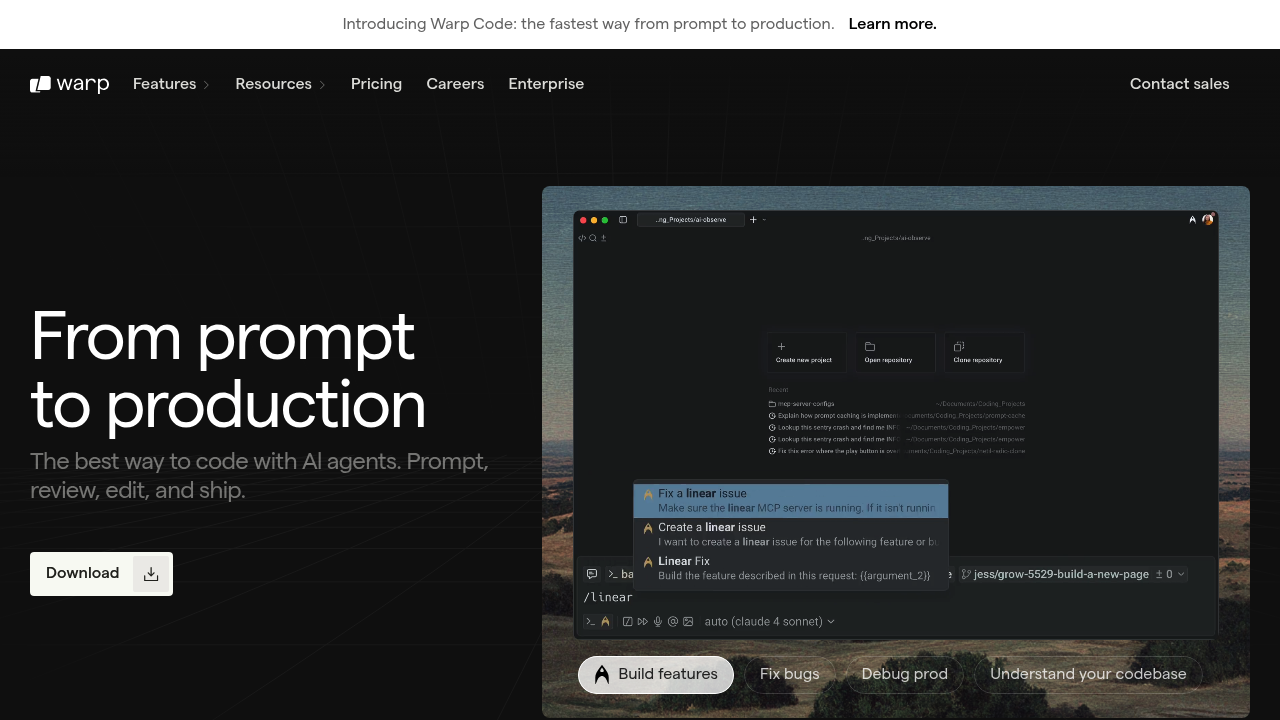
Warp is an agentic development environment built at the terminal level, enabling code writing, system event responses, and deployment. It is a proprietary terminal emulator written in Rust available for macOS, Windows and Linux. Developers using Warp save on average an hour a day from unlocking the power of the terminal, steering agents with fine-grained control. Solo developers might prefer it for terminal-native workflows, command-level AI assistance, and the hands-off privacy approach where terminal input and output data is never stored on Warp servers.
Strengths
- Multi-agent native orchestration allows running and monitoring multiple agents simultaneously under developer control.
- Mixed-model approach with access to best models from OpenAI, Anthropic, and Google outperforms single-model approaches.
- IDE-like terminal editing with mouse support, multi-line commands, and cursor positioning where you want to type.
- Natural language command generation through typing '#' activates AI suggestions as you type, integrated throughout the terminal interface.
- Codebase embeddings, in-app knowledge store, MCP, and Rules bring context to every layer of coding.
- Warp Drive enables saving reusable commands, creating interactive runbooks similar to Jupyter Notebooks, and syncing environment variables.
Weaknesses
- Cannot replace VS Code's integrated terminal; only works as external terminal application.
- Loses most features when loading sub-shells, even after exiting the interactive shell.
- Complex usage calculation with separate request limits and token limits that can both cause service interruptions.
- Closed-source proprietary software, not available as open source.
- Long conversations can cause slower performance and lower-quality answers as context window fills.
Best for
Terminal-focused developers who live in command-line environments. Teams needing collaborative terminal workflows with shared knowledge bases. Engineers managing deployments, Docker/Kubernetes operations, and complex system interactions.
Pricing plans
- Free — $0/month — 150 AI requests/month, 3 indexed codebases (5,000 files each), unlimited Next Command suggestions, up to 10 Workflows and 3 Notebooks.
- Pro — $15/month ($18 monthly) — 2,500 AI requests/month, 40 indexed codebases (10,000 files each), pay-as-you-go overages, unlimited Lite AI fallback, premium models including Claude Opus 4.1.
- Turbo — $40/month ($50 monthly) — 10,000 AI requests/month, 40 indexed codebases (20,000 files each), pay-as-you-go overages, Zero Data Retention, SAML SSO.
- Business — $55/month ($60 monthly) — 10,000 AI requests/month, same as Turbo plus Bring Your Own LLM, dedicated account manager, up to 50 seats.
- Lightspeed — $200/month ($225 monthly) — 50,000 AI requests/month, 40 indexed codebases (100,000 files each), pay-as-you-go overages, Zero Data Retention, SAML SSO.
- Enterprise — Custom pricing — Custom AI and indexing limits, BYOLLM, Zero Data Retention, SAML SSO, dedicated onboarding, SOC 2 compliant.
Tech details
- Type: Terminal emulator with agentic AI development environment
- IDEs: Standalone terminal application. External integration with VS Code, JetBrains IDEs (macOS only), Docker extension (macOS only), Raycast extension (macOS only). Cannot replace built-in IDE terminals.
- Key features: Agent Mode for multi-step autonomous tasks, natural language command input, AI command suggestions, error explanation, Warp Drive (notebooks, workflows, prompts, environment variables), session sharing, block-based output, Model Context Protocol support, voice input, codebase indexing, secret redaction.
- Privacy / hosting: Cloud-based with optional cloud features. Terminal input/output data never stored on Warp servers; data passed directly to OpenAI or Anthropic APIs. OpenAI and Anthropic not allowed to use data for model training. Zero Data Retention policy on Turbo and higher plans. Encrypted data storage for saved content.
- Models / context window: GPT-4o (123,904 tokens), Claude 4 Opus, Claude 4 Sonnet, Claude 3.5 Sonnet, Claude 3.5 Haiku, OpenAI o3, o4-mini, Gemini 2.5 Pro. Context window varies by model. Context window usage shown in UI; automatic conversation summarization when limit approached.
When to choose this over Github Copilot
- For entire features or complex debugging tasks involving multi-step command execution rather than inline code completion.
- When most development work happens in terminal rather than IDE for deployment, Docker/Kubernetes, and system operations.
- For terminal-native workflows requiring AI-powered command suggestions integrated throughout the terminal interface rather than IDE-based assistance.
When Github Copilot may be a better fit
- For moment-to-moment inline code generation and boilerplate reduction while actively writing code in your editor.
- When primary development environment is IDE-based (VS Code, JetBrains) requiring seamless editor integration.
- If working across multiple platforms without terminal-heavy workflows where command-line AI assistance provides less value than in-editor code suggestions.
Conclusion
Warp represents a fundamental reimagining of the terminal as an agentic development platform. It positions the terminal as the central hub for agentic development rather than the IDE. The terminal-native architecture and multi-agent orchestration make it compelling for developers whose workflows center on command-line operations. However, its inability to integrate into IDE terminals and closed-source nature may limit adoption. For terminal-focused engineers managing complex infrastructure, Warp offers productivity gains. For developers primarily working in code editors, Github Copilot's inline suggestions may provide more immediate value.
Sources
FAQ
What is Warp and how does it differ from traditional terminals?
Warp is a proprietary terminal emulator written in Rust featuring Warp AI for command suggestions and code generation, Warp Drive for sharing commands across teams, and an IDE-like editor with text selection and cursor positioning. It includes block-based output organization, GPU-rendered interface, and AI integration throughout the terminal.
Does Warp use my data to train AI models?
No, Warp does not allow OpenAI or Anthropic to train their models on your data, regardless of which plan you are on. Terminal input and output data is never stored on Warp servers; any data entered for Warp AI interactions gets passed directly to OpenAI or Anthropic APIs. Turbo and higher plans include automatically applied Zero Data Retention where neither Warp nor contracted LLM providers retain, store, or train off of your AI data.
Can I use Warp as the integrated terminal in VS Code?
No, Warp cannot replace VS Code's integrated terminal. You can configure keyboard shortcuts to open Warp as a separate window from within VS Code or focus existing Warp sessions using hotkey features, but it remains an external terminal application.
What happens when I exceed my AI request limit?
Pro, Turbo, and Lightspeed plans support pay-as-you-go AI overages, allowing continued use of premium models after hitting quota with additional charges for usage beyond included requests. All paid plans include unlimited Lite AI requests as a fallback model to keep using AI without interruption. On Turbo and Business plans, once AI credits are exceeded, premium models are disabled until quota resets at the start of next billing cycle.
How does Warp's Agent Mode work?
Agent Mode tackles multi-step tasks by executing commands with your permission, answering questions, explaining output, and providing examples while keeping you in control. Agents can be anything from fixing bugs, building features, resolving git issues, to explaining errors. The platform enables multi-agent native orchestration to run and monitor multiple agents simultaneously.
Which operating systems does Warp support?
Warp is available for macOS, Windows and Linux. It works with Zsh, Bash, fish, PowerShell, WSL, and Git Bash. Some features like Docker extension and Raycast integration are only available on macOS.