Opcode
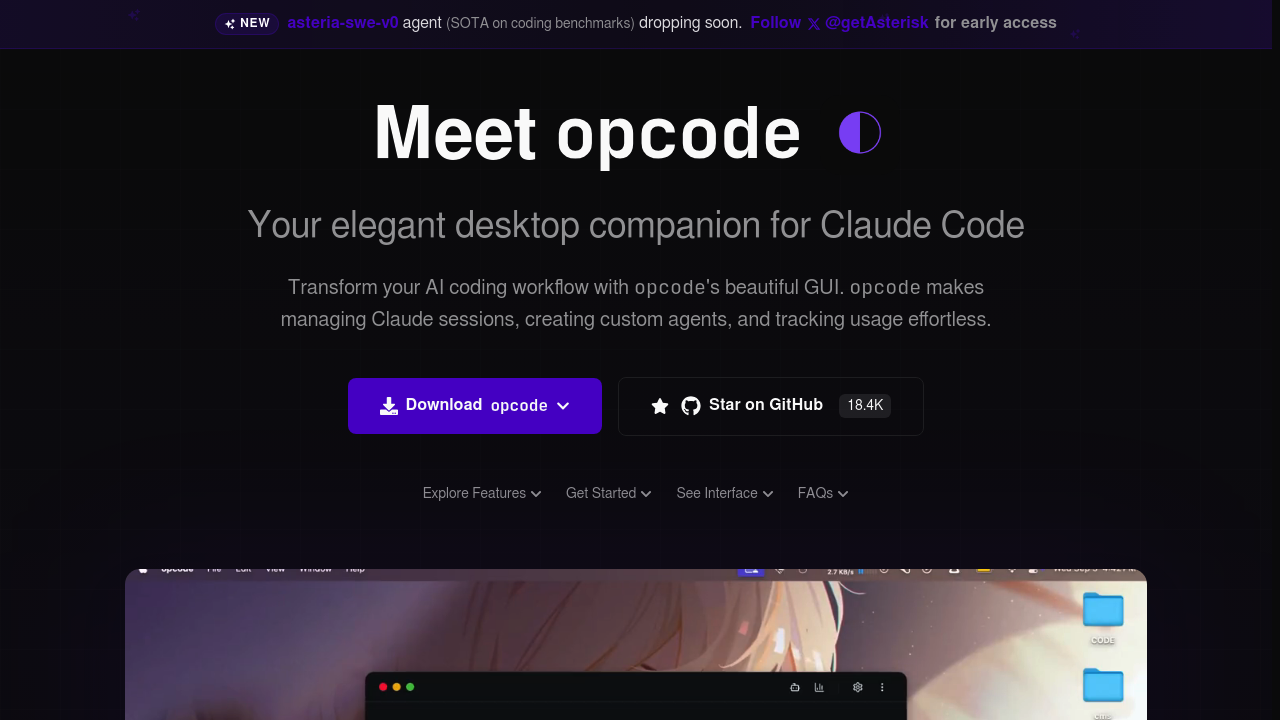
Opcode - Github Copilot alternative
Opcode is an open-source desktop application built with Tauri and React that provides a graphical interface for Claude Code. It transforms Anthropic's terminal-based Claude Code CLI into a visual experience with project management, session history, custom agent creation, and usage analytics. Solo developers benefit from centralized control over multiple Claude Code projects, persistent background agents, and detailed cost tracking without needing terminal expertise. Unlike Github Copilot's IDE-embedded autocomplete approach, Opcode enables autonomous, multi-file refactoring workflows through an intuitive desktop interface.
Strengths
- Visual project and session management with browser-style navigation through all Claude Code projects stored in
~/.claude/projects/, eliminating manual terminal directory switching. - Custom agent creation allows developers to build specialized AI assistants with defined system prompts, model selection, and permission controls that execute in isolated background processes.
- Built-in usage analytics dashboard tracks Claude API costs in real-time with breakdowns by model, project, and time period, plus data export for accounting.
- Timeline and checkpoint system enables session versioning with visual branching, instant restoration to any point, and diff viewer for change inspection.
- MCP server management provides centralized registry for Model Context Protocol servers with connection testing and Claude Desktop configuration import.
- Cross-platform desktop application runs on Windows 10+, macOS 11+, and Linux distributions with local data storage and zero telemetry.
Weaknesses
- Requires Claude Code CLI as prerequisite - Opcode is a wrapper around Claude Code, not a standalone coding assistant, adding setup complexity.
- No direct IDE integration - operates as separate desktop app rather than embedding in VS Code, JetBrains, or other editors where developers actively write code.
- API billing costs unpredictable for heavy usage - token-based pricing can escalate quickly compared to Github Copilot's flat subscription model.
- Limited to Anthropic models - cannot switch to OpenAI, Google, or local models like terminal-based alternatives (Aider, OpenCode).
- Relatively new project with smaller community and ecosystem compared to established tools like Github Copilot or Cursor.
Best for
Solo developers and small teams who prefer terminal-based agentic workflows but want visual project organization, reusable agent templates, and detailed usage tracking without learning complex CLI commands.
Pricing plans
- Opcode Application — Free — Open-source AGPL license, unlimited usage of the GUI application itself.
- Claude API Usage — Pay-as-you-go — Requires active Anthropic billing account. Costs vary by model: Sonnet 4 (~$3 per million input tokens), Opus 4.1 (higher per-token rates). No fixed subscription.
Note: Opcode itself has no subscription fee. Users pay only for Claude API token consumption through their Anthropic account.
Tech details
- Type: Desktop GUI wrapper for Claude Code CLI (terminal-based agentic coding tool)
- IDEs: No direct IDE integration. Operates as standalone desktop application. Claude Code CLI integrates with VS Code, Xcode, and JetBrains via separate Anthropic extensions.
- Key features: Project browser, session history with resume capability, custom agent builder with background execution, usage analytics with cost tracking, MCP server registry, timeline checkpoints with diff viewer, CLAUDE.md file editor with live preview, session forking from checkpoints.
- Privacy / hosting: Fully local desktop application. All data stored locally on user machine in SQLite database. No telemetry or data collection. Code interactions routed through Anthropic API (subject to Anthropic privacy policy). Process isolation for agents.
- Models / context window: Uses Anthropic Claude models exclusively (Sonnet 4, Sonnet 4.5, Opus 4.1). Context window depends on model: Sonnet 4 supports up to 1,000,000 tokens in long-context mode, Opus 4.1 commonly ~200,000 tokens for sustained reasoning tasks.
When to choose this over Github Copilot
- Repo-wide refactoring needs - Opcode's checkpoint system and multi-file diff capabilities reduce risk when making sweeping architectural changes across entire codebases.
- Terminal-first workflows - Developers who prefer command-line development benefit from visual project organization without abandoning terminal-based tooling philosophy.
- Custom agent requirements - Build specialized agents for code review, documentation, security analysis, or debugging with tailored prompts and permissions that Github Copilot cannot replicate.
- Usage transparency and cost control - Real-time analytics dashboard provides granular visibility into API spending, essential for freelancers and consultancies managing client budgets.
When Github Copilot may be a better fit
- Seamless IDE integration required - Github Copilot lives inside VS Code, JetBrains, and Visual Studio with zero context switching, while Opcode operates as separate desktop application.
- Predictable subscription budgeting - Github Copilot offers flat monthly pricing ($10-39/user), whereas Opcode's token-based billing can spike unpredictably during intensive sessions.
- Team collaboration features - Github Copilot Enterprise includes pull request review, security scanning integration, and centralized policy management that Opcode lacks.
- Broad language and ecosystem support - Github Copilot's training spans more programming languages and integrates with GitHub-native workflows (Actions, Issues, Projects).
Conclusion
Opcode bridges the gap between Claude Code's powerful terminal-based agentic capabilities and the visual convenience developers expect from modern tools. It excels at transforming complex multi-file refactoring tasks into manageable workflows with checkpoints, custom agents, and transparent cost tracking. While it cannot match Github Copilot's seamless IDE integration or predictable pricing, Opcode offers unparalleled flexibility for developers who value autonomy, customization, and deep codebase understanding. The tool works best when paired with Claude's industry-leading reasoning capabilities for architectural decisions and large-scale code changes.
Sources
- Official site: https://opcode.sh/
- GitHub repository: https://github.com/getAsterisk/opcode
- Claude Code documentation: https://docs.claude.com/en/docs/claude-code/overview
- Anthropic API pricing: https://www.anthropic.com/pricing
FAQ
What is Opcode and how does it relate to Claude Code?
Opcode is a desktop GUI application that wraps around Anthropic's Claude Code CLI tool. Claude Code is a terminal-based AI coding assistant that understands codebases and performs multi-file edits. Opcode adds visual project management, session history, custom agent creation, and usage analytics on top of Claude Code's core functionality. Users must install both Claude Code CLI and Opcode to use the tool.
How much does Opcode cost to use?
The Opcode application itself is completely free and open-source under the AGPL license. However, it requires an active Anthropic billing account to use Claude Code. Costs are pay-as-you-go based on token consumption. Average users spend approximately $6 per day according to Anthropic data, though costs vary widely based on usage patterns. Heavy users performing extensive refactoring can incur significantly higher daily costs.
Can Opcode work with my existing IDE like VS Code or JetBrains?
Opcode operates as a standalone desktop application separate from IDEs. The underlying Claude Code CLI integrates with VS Code, Xcode, and JetBrains through Anthropic's official extensions, but Opcode's GUI does not embed directly in these editors. Developers typically use Opcode for project-level management and agent configuration while working in their preferred IDE.
What are custom agents in Opcode and why would I use them?
Custom agents are specialized AI assistants you configure with specific system prompts, model choices, and permission settings. For example, you can create a "code review" agent that only reads files and provides feedback without making changes, or a "security audit" agent focused on finding vulnerabilities. Agents run in isolated background processes and maintain execution history, enabling reusable workflows for recurring tasks.
How does Opcode's checkpoint system work?
The checkpoint system creates versioned snapshots of your coding session at any point. You can navigate through a visual timeline showing all checkpoints, instantly restore to previous states with one click, fork new sessions from existing checkpoints, and view diffs showing exactly what changed between checkpoints. This reduces risk when experimenting with large refactoring tasks since you can always roll back.
Is my code data safe when using Opcode?
Opcode stores all session data locally on your machine in a SQLite database with no telemetry or external data collection. However, code interactions pass through Anthropic's API for Claude processing, subject to Anthropic's privacy policy. Anthropic states they collect feedback data including code acceptance/rejection and conversation data, with limited retention periods for sensitive information and policies against using feedback for model training.