Codeground AI: A GitHub Copilot Alternative for AI IDE Workflows
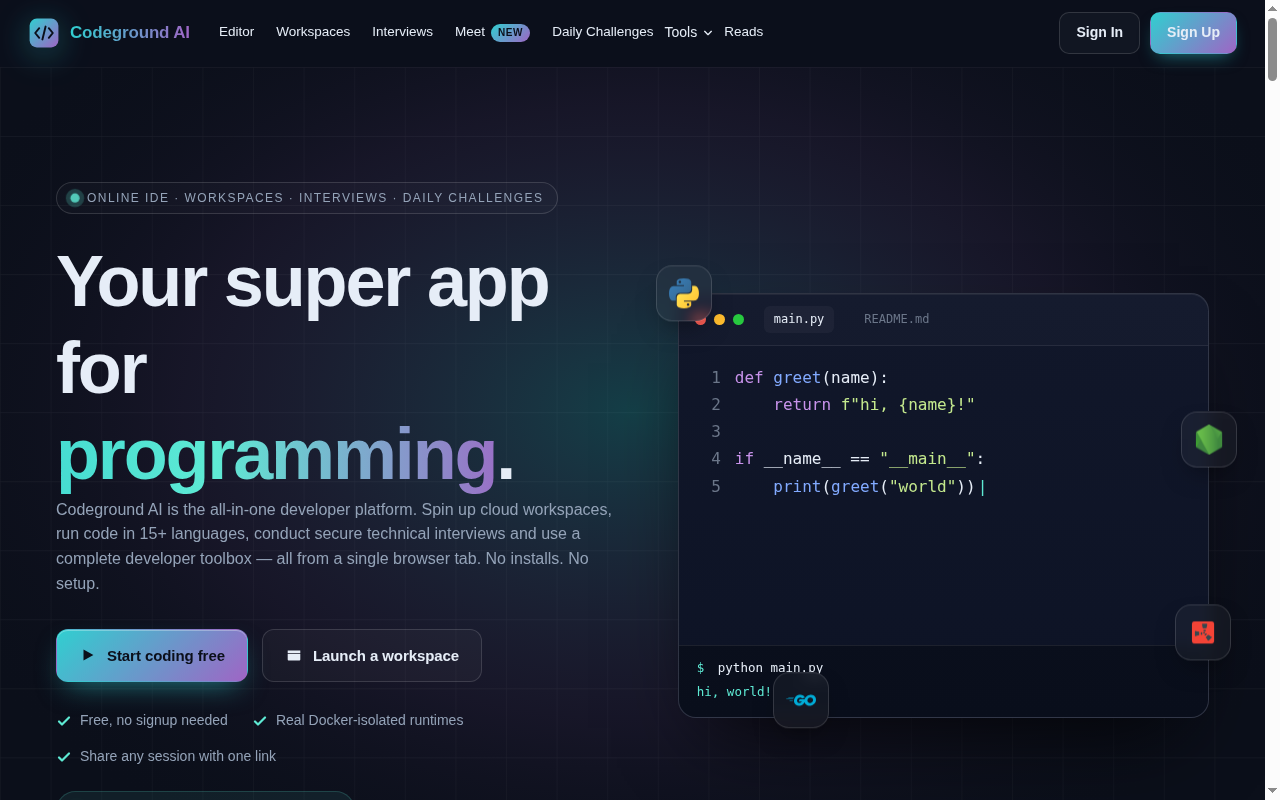
Codeground AI is a ai ide developed by Codeground. A browser-based developer platform that combines an online IDE, cloud workspaces, technical interviews, and an AI coding assistant in one tab. As a GitHub Copilot alternative, it is best suited for students, interviewers, coding educators, and developers who want an ai-assisted online ide with execution, sharing, and workspace management built in.
Codeground AI vs. GitHub Copilot: Quick Comparison
| Codeground AI | GitHub Copilot |
|---|
| Type | AI IDE | IDE Extension / CLI |
| IDEs | Browser-based Monaco editor, persistent cloud workspaces, real terminal, and code execution in 15+ languages | VS Code, JetBrains, Vim, Neovim, Visual Studio, Xcode |
| Pricing | Free $0/month; Personal $9.99/month; Enterprise $49.99/month | Free for students/OSS; Individual $10/mo; Business $19/mo; Enterprise $39/mo |
| Models | Uses Codeground Standard AI and Pro AI models; exact underlying model vendors are not publicly documented on the pricing page | OpenAI GPT-4o, Claude 3.5 Sonnet, Gemini 1.5 Pro (multi-model) |
| Privacy / hosting | Cloud-hosted browser IDE with sandboxed Docker execution and persistent workspaces for signed-in users | Cloud (GitHub/Microsoft) |
| Open source | No | No |
| Offline / local models | No | No |
What Codeground AI Actually Offers
A browser-based developer platform that combines an online IDE, cloud workspaces, technical interviews, and an AI coding assistant in one tab.
The official product materials position Codeground AI as a ai ide rather than a simple autocomplete layer. That distinction matters because developers often compare Copilot with tools that solve a broader workflow problem, such as multi-step code generation, app scaffolding, cross-device development, or hosted execution environments.
From a buyer's perspective, the practical question is not whether Codeground AI can suggest code, but whether it can improve the end-to-end work you care about. The strongest reason to shortlist Codeground AI is that it reshapes part of the software delivery loop through browser IDE, cloud workspaces, technical interview tooling, developer utilities, real Docker-isolated execution, collaboration and sharing.
Key Strengths
- All-in-one browser workflow: Codeground AI brings together an editor, runtime, workspaces, interviews, and small developer utilities in one product. That is useful for developers who want more than autocomplete and prefer a browser-native setup.
- Accessible pricing: The free and personal tiers publish concrete assistant and analysis limits. That makes it easy to benchmark against GitHub Copilot or other coding tools on cost and usage.
- Execution and collaboration built in: The platform emphasizes real execution environments, persistent workspaces, sharing, and interview workflows. For teams that review, teach, or hire in addition to coding, that broader workflow can be more useful than a narrow IDE assistant.
Known Limitations
- Browser-first rather than local IDE-first: Codeground AI is strongest when you want to work in the browser. Developers deeply invested in local editor customizations may prefer Copilot or other desktop-native tools.
- Model transparency is limited: The pricing page distinguishes standard and pro AI models, but it does not clearly document which commercial models power each tier. Some technical buyers will want more detail.
- Broader platform scope can be distracting: Because the product also includes interviews and utilities, it is not as singularly focused on code generation as some Copilot alternatives.
Best For
Students, interviewers, coding educators, and developers who want an AI-assisted online IDE with execution, sharing, and workspace management built in. It is particularly compelling for teams that want more than inline completion and expect the tool to participate in planning, code generation, environment setup, or deployment. Compared with GitHub Copilot, Codeground AI is easier to justify when the workflow itself is the product advantage, not only the model output.
In practice, Codeground AI makes the most sense when developers are intentionally evaluating alternatives to GitHub Copilot because they want more control, a different deployment model, or broader product workflow support. If that is your situation, the product's positioning is much easier to defend than if you only need occasional inline suggestions.
Pricing
- Free: $0/month — AI Code Assistant 5 conversations/day and AI Code Analysis 2 analyses/day
- Personal: $9.99/month — 100 Pro AI conversations/month, 50 analyses/day, private grounds, unlimited backups
- Enterprise: $49.99/month — 500 Pro AI conversations/month, custom AI models, 200 Pro AI analyses/month, team features
Prices are subject to change. Check the official pricing page for current details.
Tech Details
- Type: AI IDE
- IDEs: Browser-based Monaco editor, persistent cloud workspaces, real terminal, and code execution in 15+ languages
- Key features: browser IDE, cloud workspaces, technical interview tooling, developer utilities, real Docker-isolated execution, collaboration and sharing
- Privacy / hosting: Cloud-hosted browser IDE with sandboxed Docker execution and persistent workspaces for signed-in users
- Models / context window: Uses Codeground Standard AI and Pro AI models; exact underlying model vendors are not publicly documented on the pricing page
Codeground AI positions itself around ai ide workflows rather than just inline code suggestions. The official sources emphasize browser IDE, cloud workspaces, technical interview tooling, developer utilities, real Docker-isolated execution, collaboration and sharing. When exact internal implementation details are not documented publicly, this listing calls that out instead of guessing.
One practical difference versus GitHub Copilot is operational scope. Copilot is usually easiest to understand as an assistant that lives inside an established development surface, while Codeground AI is trying to influence how you build, review, run, or ship software across a wider workflow boundary.
When to Choose This Over GitHub Copilot
- Choose Codeground AI over GitHub Copilot when you want a browser-based coding workspace with execution, collaboration, and AI assistance in one product.
- Choose Codeground when technical interviews or cloud workspaces are part of the same workflow you want to support.
- Choose Codeground when you prefer a lightweight no-setup browser environment over installing and configuring a local IDE extension.
These advantages are strongest when your team has already outgrown a one-size-fits-all coding assistant. If you find yourself wanting more control over providers, architecture flow, local execution, or full-stack generation, Codeground AI starts to look less like a niche alternative and more like a better category fit.
When GitHub Copilot May Be a Better Fit
- GitHub Copilot may be a better fit if you mainly work in a local IDE and want assistance there rather than in a separate browser platform.
- Copilot can be better for teams standardized on GitHub and desktop development environments.
- Copilot may also be preferable if interview tooling and browser utilities are not relevant to your workflow.
This is an important trade-off to be honest about. The best Copilot alternatives are not always better in every dimension. They are better for specific constraints, such as local-first operation, richer app scaffolding, stronger review controls, or a browser-native environment.
How It Compares in Real Evaluation Scenarios
When teams compare Codeground AI against GitHub Copilot, the conversation usually comes down to one of four things: setup friction, provider choice, workflow coverage, and governance. Codeground AI competes best when its broader workflow story solves a real pain point, because that creates a durable reason to switch instead of a novelty-based reason.
A second consideration is commercial clarity. Codeground AI publishes a product story and pricing model that can be compared with Copilot at the budget-planning stage. That matters for founders, engineering managers, and consultants who need to decide whether they are paying for model access, developer control, app-building leverage, or all three together.
Finally, there is the question of user fit. Some developers will prefer the familiarity of GitHub Copilot because it stays out of the way. Others will prefer Codeground AI because it creates a more opinionated and productive workflow. A good shortlist decision should match the work style of the team, not only the benchmark reputation of the model behind it.
Operational Fit and Adoption Notes
Codeground AI is strongest when the developer wants the whole working surface in the browser, not only a coding assistant inside a local editor. The combination of editor, runtime, interview tooling, and utilities changes the buying question from "which autocomplete tool is best?" to "which development surface best matches the work I actually do?"
That can be an advantage for onboarding, teaching, interviewing, and lightweight collaboration because setup friction is lower and the environment is already provisioned. It can also be a limitation for developers who rely on heavy desktop customization or strongly prefer local-first tooling. In other words, Codeground AI competes more on platform convenience than on extension familiarity.
For Copilot comparison, that distinction matters. If the main requirement is improving day-to-day coding inside an existing IDE, GitHub Copilot may remain the simpler answer. If the requirement is bundling execution, sharing, and browser-based development into one place, Codeground AI offers a more defensible alternative.
Conclusion
Codeground AI is a credible choice for developers who like the idea of AI-assisted coding but want a different operating model from GitHub Copilot. If you value ai ide depth, workflow control, or deployment scaffolding more than Copilot's mainstream simplicity, Codeground AI is worth serious consideration. If your priority is a lighter, conventional assistant inside an existing GitHub-heavy setup, GitHub Copilot can still be the easier fit.
Sources
FAQ
Is Codeground AI free?
Yes. The free plan includes limited daily AI conversations and code analyses, plus the core editor and tools.
What languages does Codeground AI support?
The official site says it supports 15+ languages and runtimes, including common languages such as Python, JavaScript, Rust, Java, Go, and more.
Does Codeground AI run code for real?
Yes. The platform says execution happens in Docker-isolated containers and includes real terminals inside cloud workspaces.
How is Codeground AI different from GitHub Copilot?
Codeground AI is an all-in-one browser platform with IDE, workspaces, and interviews, while GitHub Copilot focuses more narrowly on code assistance inside existing tools.