ClawDE: A GitHub Copilot Alternative for AI IDE Workflows
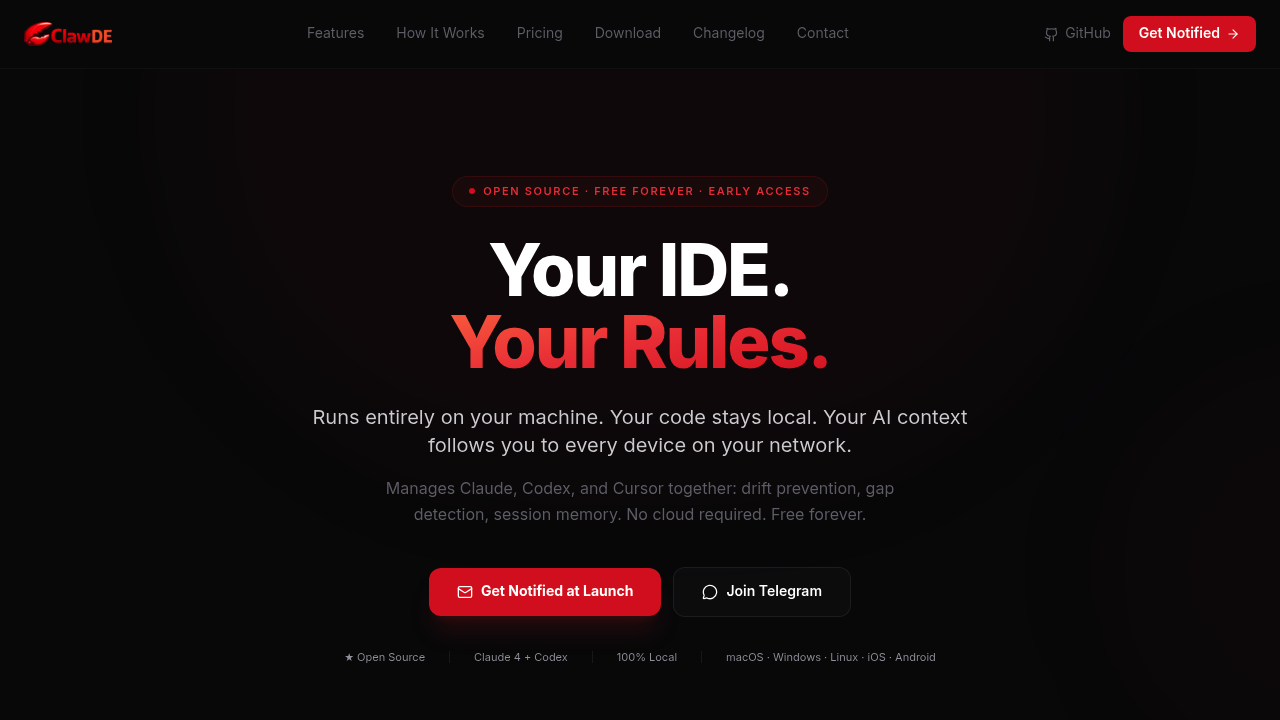
ClawDE is a ai ide developed by ClawDE. A host-first AI development environment that coordinates Claude, Codex, Cursor, and validation logic while keeping code and project context on your own machine. As a GitHub Copilot alternative, it is best suited for developers who want a local-first ai ide with stronger session memory, verification, and cross-agent coordination than a standard single-assistant plugin.
ClawDE vs. GitHub Copilot: Quick Comparison
| ClawDE | GitHub Copilot |
|---|
| Type | AI IDE | IDE Extension / CLI |
| IDEs | Desktop IDE on macOS, Linux, and Windows with phone, browser, and terminal access; iOS and Android clients are listed | VS Code, JetBrains, Vim, Neovim, Visual Studio, Xcode |
| Pricing | Local $0 forever; Pro Remote Access $9.99/year; ClawDE Cloud Coming soon | Free for students/OSS; Individual $10/mo; Business $19/mo; Enterprise $39/mo |
| Models | Claude, Codex, Cursor, and ChatGPT-class workflows coordinated from one environment; exact full provider matrix is not publicly documented | OpenAI GPT-4o, Claude 3.5 Sonnet, Gemini 1.5 Pro (multi-model) |
| Privacy / hosting | Host-first local runtime; code stays on your machine, with optional encrypted remote relay for off-network access | Cloud (GitHub/Microsoft) |
| Open source | Yes | No |
| Offline / local models | No | No |
What ClawDE Actually Offers
A host-first AI development environment that coordinates Claude, Codex, Cursor, and validation logic while keeping code and project context on your own machine.
The official product materials position ClawDE as a ai ide rather than a simple autocomplete layer. That distinction matters because developers often compare Copilot with tools that solve a broader workflow problem, such as multi-step code generation, app scaffolding, cross-device development, or hosted execution environments.
From a buyer's perspective, the practical question is not whether ClawDE can suggest code, but whether it can improve the end-to-end work you care about. The strongest reason to shortlist ClawDE is that it reshapes part of the software delivery loop through repo intelligence, drift prevention, gap detection, hallucination guards, source-of-truth docs, multi-agent coordination, validation engine, session persistence, LAN device discovery.
Key Strengths
- Strong local-control posture: ClawDE is designed around the idea that your machine is the host and your code stays there. That is a meaningful differentiator for developers who like Copilot's speed but dislike cloud-centric workflows.
- Multi-agent coordination: The product is opinionated about managing Claude, Codex, Cursor, and validation together instead of letting separate tools collide. If your team already juggles multiple coding agents, that coordination story is more ambitious than GitHub Copilot's default model.
- Alignment and verification focus: ClawDE emphasizes drift prevention, gap detection, hallucination guards, and source-of-truth documents. For developers who have felt the pain of long-session AI drift, those controls address a real weakness in typical assistant setups.
Known Limitations
- Early-stage product: The homepage labels the platform as early access and shows version 0.1.0. Teams looking for a more mature ecosystem may prefer established alternatives.
- Opinionated workflow: ClawDE inserts scan, plan, execute, and verify stages before and during work. That is powerful, but it may feel heavier than a simpler assistant like Copilot for quick tasks.
- Remote features are narrower than local features: The free forever pitch is strongest on local-network usage. Some cross-network and team-oriented features are still part of Pro or future cloud plans.
Best For
Developers who want a local-first AI IDE with stronger session memory, verification, and cross-agent coordination than a standard single-assistant plugin. It is particularly compelling for teams that want more than inline completion and expect the tool to participate in planning, code generation, environment setup, or deployment. Compared with GitHub Copilot, ClawDE is easier to justify when the workflow itself is the product advantage, not only the model output.
In practice, ClawDE makes the most sense when developers are intentionally evaluating alternatives to GitHub Copilot because they want more control, a different deployment model, or broader product workflow support. If that is your situation, the product's positioning is much easier to defend than if you only need occasional inline suggestions.
Pricing
- Local: $0 forever — Full platform on your own hardware and local network, no account required
- Pro Remote Access: $9.99/year — Encrypted off-network relay, cloud context sync, early access
- ClawDE Cloud: Coming soon — Waitlist page says hosted team features will start at $20/month
Prices are subject to change. Check the official pricing page for current details.
Tech Details
- Type: AI IDE
- IDEs: Desktop IDE on macOS, Linux, and Windows with phone, browser, and terminal access; iOS and Android clients are listed
- Key features: repo intelligence, drift prevention, gap detection, hallucination guards, source-of-truth docs, multi-agent coordination, validation engine, session persistence, LAN device discovery
- Privacy / hosting: Host-first local runtime; code stays on your machine, with optional encrypted remote relay for off-network access
- Models / context window: Claude, Codex, Cursor, and ChatGPT-class workflows coordinated from one environment; exact full provider matrix is not publicly documented
ClawDE positions itself around ai ide workflows rather than just inline code suggestions. The official sources emphasize repo intelligence, drift prevention, gap detection, hallucination guards, source-of-truth docs, multi-agent coordination, validation engine, session persistence, LAN device discovery. When exact internal implementation details are not documented publicly, this listing calls that out instead of guessing.
One practical difference versus GitHub Copilot is operational scope. Copilot is usually easiest to understand as an assistant that lives inside an established development surface, while ClawDE is trying to influence how you build, review, run, or ship software across a wider workflow boundary.
When to Choose This Over GitHub Copilot
- Choose ClawDE over GitHub Copilot when keeping code and project context on your own machine is a first-class requirement.
- Choose ClawDE when you already use multiple coding agents and want one environment to coordinate them with guardrails.
- Choose ClawDE when verification, drift prevention, and persistent cross-device sessions matter more than a lightweight extension.
These advantages are strongest when your team has already outgrown a one-size-fits-all coding assistant. If you find yourself wanting more control over providers, architecture flow, local execution, or full-stack generation, ClawDE starts to look less like a niche alternative and more like a better category fit.
When GitHub Copilot May Be a Better Fit
- GitHub Copilot may be a better fit if you want a mature, mainstream extension that feels lighter and is already embedded in GitHub-oriented workflows.
- Copilot can be simpler for developers who do not need multi-agent orchestration or local-host device access.
- Copilot may also be preferable if you are not comfortable adopting an early-access product with a more opinionated runtime model.
This is an important trade-off to be honest about. The best Copilot alternatives are not always better in every dimension. They are better for specific constraints, such as local-first operation, richer app scaffolding, stronger review controls, or a browser-native environment.
How It Compares in Real Evaluation Scenarios
When teams compare ClawDE against GitHub Copilot, the conversation usually comes down to one of four things: setup friction, provider choice, workflow coverage, and governance. ClawDE competes best when its broader workflow story solves a real pain point, because that creates a durable reason to switch instead of a novelty-based reason.
A second consideration is commercial clarity. ClawDE publishes a product story and pricing model that can be compared with Copilot at the budget-planning stage. That matters for founders, engineering managers, and consultants who need to decide whether they are paying for model access, developer control, app-building leverage, or all three together.
Finally, there is the question of user fit. Some developers will prefer the familiarity of GitHub Copilot because it stays out of the way. Others will prefer ClawDE because it creates a more opinionated and productive workflow. A good shortlist decision should match the work style of the team, not only the benchmark reputation of the model behind it.
Operational Fit and Adoption Notes
ClawDE is most interesting for developers who have already felt the pain of long-session drift, fragmented agent tooling, or weak verification loops. Its pitch is not only about generating code faster. It is about creating a host-first environment that keeps execution, validation, and context more deliberately aligned.
That makes adoption partly a workflow decision rather than a simple feature comparison. Teams that value explicit scan, plan, execute, and verify stages may see the product as safer and more durable than a lighter assistant. Teams that mainly want quick inline help may view the same structure as additional overhead.
The pricing model reinforces that split. Local use is the default, and remote access is the paid upgrade. For buyers who want local control first and cloud convenience second, that is a meaningful difference from GitHub Copilot's cloud-led commercial model.
Conclusion
ClawDE is a credible choice for developers who like the idea of AI-assisted coding but want a different operating model from GitHub Copilot. If you value ai ide depth, workflow control, or deployment scaffolding more than Copilot's mainstream simplicity, ClawDE is worth serious consideration. If your priority is a lighter, conventional assistant inside an existing GitHub-heavy setup, GitHub Copilot can still be the easier fit.
Sources
FAQ
Is ClawDE free?
Yes. The Local plan is advertised as free forever for LAN-only use on your own hardware.
Does ClawDE keep code local?
Yes. The product repeatedly states that code stays on your machine and that no cloud account is required for local use.
Can ClawDE work across devices?
Yes. The platform highlights phone, browser, terminal, and desktop access with preserved session context.
How is ClawDE different from GitHub Copilot?
ClawDE is an AI development environment with scan-plan-execute-verify workflow, persistent local hosting, and multi-agent coordination, while Copilot is more of a conventional assistant inside existing tools.