Bolt
Browser-based AI IDE that builds, runs, and deploys full-stack web applications from natural language prompts.
Bolt.new - Github Copilot alternative
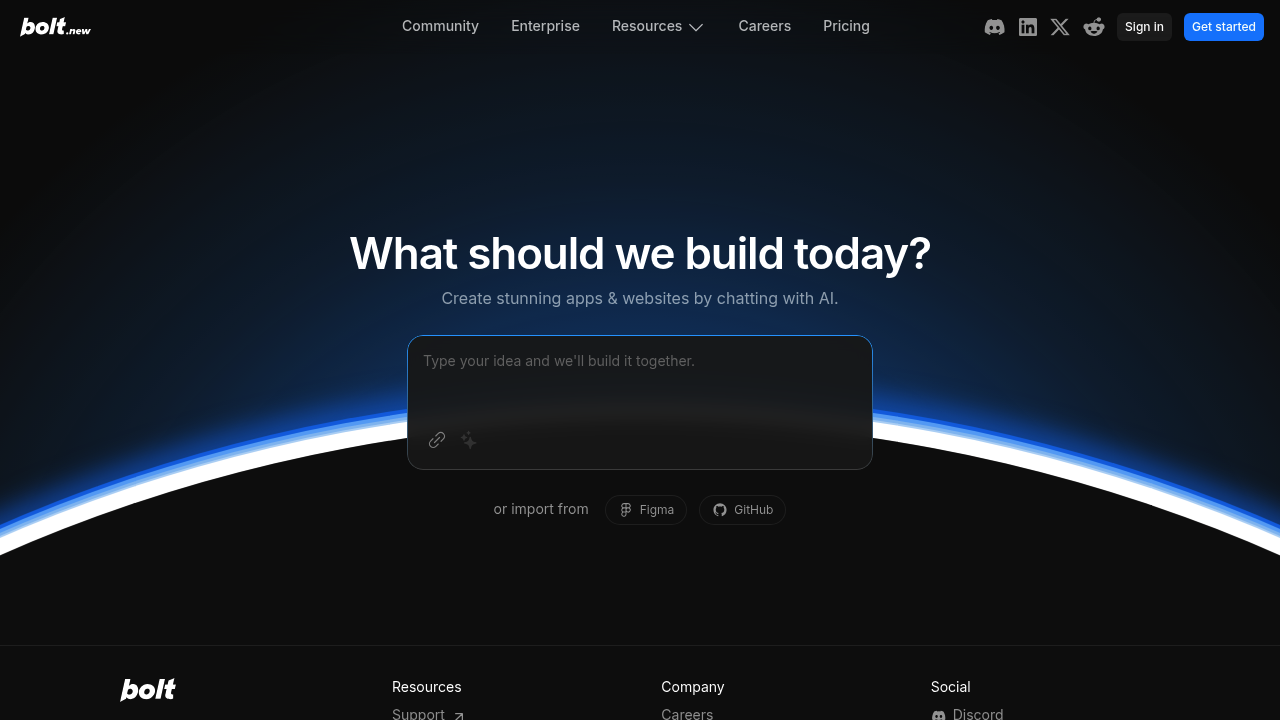
Bolt.new is a browser-based tool that allows users to build full-stack apps using natural language prompts. It integrates AI models with an in-browser development environment powered by StackBlitz's WebContainers, allowing users to install and run npm tools and libraries like Vite and Next.js. After generating the code base, users can manually add changes and modify the source code in Bolt's browser-based IDE. Solo developers might prefer this Github Copilot alternative because it removes environment setup friction and provides immediate visual feedback on generated code.
Strengths
- AI models have complete control over the entire environment including the filesystem, node server, package manager, terminal, and browser console, enabling them to handle the entire app lifecycle from creation to deployment.
- Delivers near-instant results using WebContainer technology that creates a Node.js environment directly in the browser with no setup delay.
- Allows users to install packages, run backends and edit code, distinguishing it from prompt-only tools.
- Enables users to change things through simple chat prompts without coding knowledge required, while also allowing experienced developers to edit code directly in the built-in editor.
- Real-time collaboration features allow multiple users to work together on the same project simultaneously.
- Supports deployment to platforms like Netlify directly from the browser interface.
Weaknesses
- The UI is not really made for direct code editing; users are supposed to prompt and see the code being written by the AI.
- Limited to browser-based development workflows; cannot work with local development environments or existing codebases on local machines.
- Token rollover is not available across monthly billing cycles, meaning unused tokens expire.
- Primarily optimized for web application development; less suitable for native mobile apps, desktop software, or backend-only services.
- Higher token consumption can make intensive usage expensive compared to fixed-price alternatives.
Best for
Solo developers and indie hackers building MVPs, prototypes, or full-stack web applications who value speed and immediate visual feedback over traditional local development workflows.
Pricing plans
- Free — $0/month — Limited daily token allowance for basic AI prompts and editor access.
- Pro — $20/month — 10M tokens, real-time collaboration, Claude/GPT-4 access, secure environments.
- Pro 50 — $50/month — 26M tokens, priority support, real-time collaboration, Claude/GPT-4 access.
- Pro 100 — $100/month — 55M tokens, priority support, real-time collaboration, Claude/GPT-4 access.
- Pro 200 — $200/month — 120M tokens, priority support, real-time collaboration, Claude/GPT-4 access.
- Enterprise — Custom pricing — Contact sales for custom token allowances and dedicated support.
Tech details
- Type: Browser-based AI-powered IDE with WebContainer runtime environment.
- IDEs: Browser-based editor (VS Code-based) with no local IDE integration required.
- Key features: Natural language to code generation, full-stack application scaffolding, package installation, backend execution, real-time preview, one-click deployment, collaborative editing.
- Privacy / hosting: Cloud-based service running in browser. Code executes in WebContainers (browser-isolated Node.js runtime). Projects can be private on paid plans. Data retention policies per StackBlitz terms of service.
- Models / context window: GPT-4, Claude, and other top-tier models. Context window size depends on selected model (typically 8K-128K tokens).
When to choose this over Github Copilot
- You need to install packages, run backends and edit code in a complete development environment rather than just receiving code suggestions.
- You want to prototype full-stack web applications rapidly without local environment setup or configuration.
- You need AI agents that can handle the entire app lifecycle—from creation to deployment—with complete control over the filesystem, server, and terminal.
When Github Copilot may be a better fit
- You prefer working in your local IDE (VS Code, JetBrains) with existing projects and established development workflows.
- You need precise code editing tools rather than a prompt-first interface.
- You want predictable monthly costs regardless of usage intensity (GitHub Copilot offers unlimited completions).
- You work primarily with non-web technologies (mobile, desktop, embedded systems) where browser-based development is impractical.
Conclusion
Bolt.new is a browser-based tool that allows users to build full-stack apps using natural language prompts. It integrates AI models with an in-browser development environment powered by WebContainers. For developers who prioritize rapid prototyping and immediate deployment over traditional local workflows, Bolt.new offers a compelling alternative to GitHub Copilot. The token-based pricing model means costs scale with usage, which benefits occasional users but may become expensive for heavy daily development.
Sources
- Official site: https://bolt.new/
- Docs: https://support.bolt.new/
- Pricing: https://bolt.new/pricing
FAQ
Q: Does Bolt.new work offline?
No. Bolt.new requires an internet connection because it runs entirely in the browser and relies on cloud-based AI models. All code execution happens through WebContainers in your browser, but the AI completions and project synchronization require active network connectivity.
Q: Can I export my code from Bolt.new?
Yes. Once you're happy with the result, you can download the source code or export to platforms like Vercel. Projects can be deployed to Netlify or downloaded as complete codebases for local development.
Q: What frameworks does Bolt.new support?
If you want to use specific frameworks or libraries like Astro, Tailwind, ShadCN, or any other popular JavaScript framework, mention them in your initial prompt to ensure Bolt scaffolds the project accordingly. The tool supports modern web frameworks running on Node.js.
Q: How do tokens work in Bolt.new pricing?
Tokens are the "currency" you use when generating AI code or prompts inside Bolt. The more you use AI agents like Claude or GPT-4, the more tokens you'll spend. Each plan includes a monthly token allowance, and tokens do not roll over to the next billing cycle.
Q: Can I use Bolt.new for production applications?
While Bolt.new can generate production-ready code, it's primarily designed for prototyping and MVP development. The generated code can be exported and deployed to production hosting platforms, but you should review and test the code thoroughly before production use.
Q: How does Bolt.new differ from GitHub Copilot?
GitHub Copilot provides code suggestions within your existing IDE and local development environment. Bolt.new creates an entire browser-based development environment where AI builds complete applications from prompts. Bolt.new gives AI models complete control over the entire environment including the filesystem, node server, package manager, terminal, and browser console, while Copilot focuses on code completion and suggestions.