Augment Code
AI coding assistant and IDE extension with a proprietary Context Engine that maintains live understanding of your entire codebase. Features agentic task execution, GitHub code review, and CLI agent.
Augment Code: A GitHub Copilot Alternative for Enterprise Teams and Large Codebases
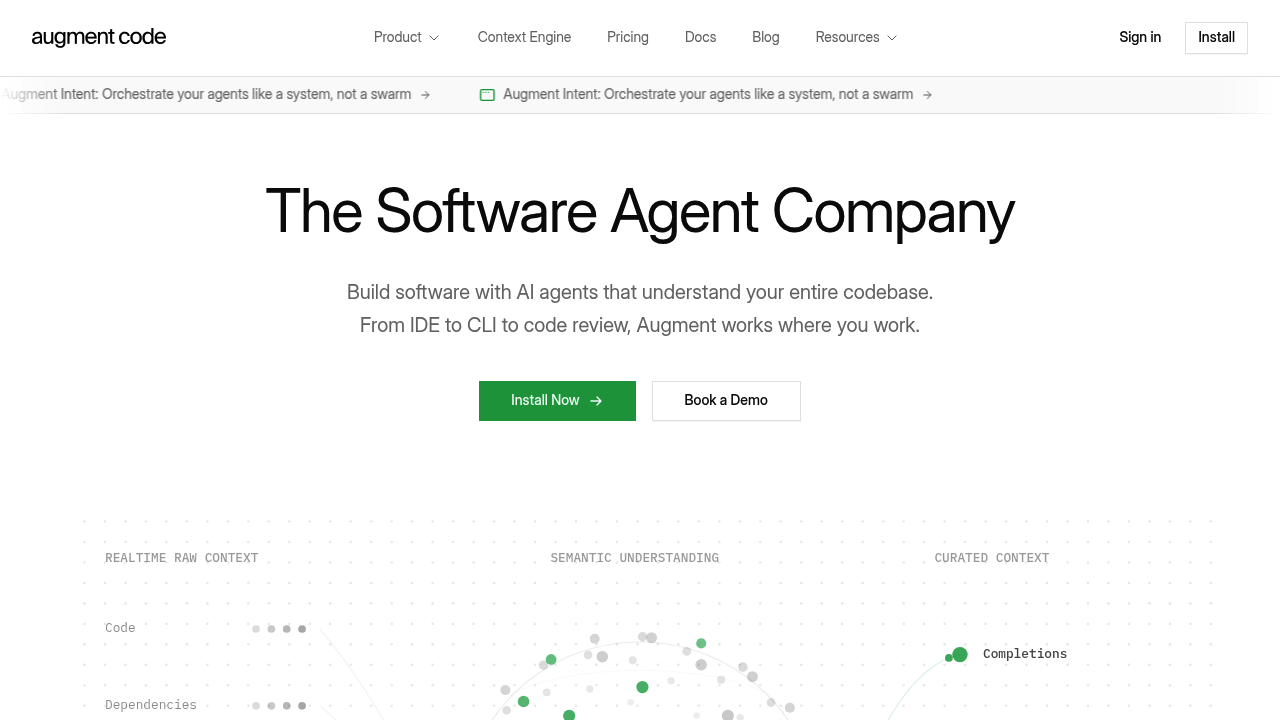
Augment Code is an AI coding assistant and IDE extension developed by Augment Computing. It is distinguished by its proprietary Context Engine, which maintains a live understanding of your entire codebase — including dependencies, architecture, and git history. As a GitHub Copilot alternative, it is best suited for professional engineering teams working on large or complex production codebases.
Augment Code vs. GitHub Copilot: Quick Comparison
| Augment Code | GitHub Copilot | |
|---|---|---|
| Type | IDE Extension + CLI Agent + Code Review | IDE Extension / CLI |
| IDEs | VS Code, JetBrains | VS Code, JetBrains, Vim, Neovim, Visual Studio, Xcode |
| Pricing | Indie $20/mo; Standard $60/mo/dev; Max $200/mo/dev; Enterprise custom | Free for students/OSS; Individual $10/mo; Business $19/mo; Enterprise $39/mo |
| Models | Not publicly documented (proprietary Context Engine) | OpenAI GPT-4o, Claude 3.5 Sonnet, Gemini 1.5 Pro (multi-model) |
| Privacy / hosting | Cloud; SOC 2 Type II; no AI training on paid plans | Cloud (GitHub/Microsoft) |
| Open source | No | No |
| Offline / local models | No | No |
Key Strengths
- Context Engine: Augment's proprietary Context Engine maintains a live, continuously updated understanding of your entire codebase. Unlike tools that only pass a few files to an LLM, it indexes dependencies, architecture patterns, and commit history. This is the central differentiator that powers higher-quality agent output on real production repositories.
- Whole-codebase AI agents: Augment's IDE agents handle complex, multi-step tasks with task lists and automatic memory across sessions. In an independent blind study comparing 500 agent-generated pull requests against merged human code on the Elasticsearch repository (3.6M LOC), Augment showed measurable quality advantages over comparable tools.
- Integrated code review: Augment Code Review works inside GitHub as an automated reviewer that posts inline PR comments with suggested fixes. Benchmarked against 7 leading tools on real production codebases, Augment claims the highest precision and recall. One-click fixes are available directly in your IDE.
- CLI agent: The Augment CLI brings the same Context Engine and agents to the terminal, for engineers who prefer command-line workflows without a GUI. It integrates with your shell and shares context state with IDE agents.
- Enterprise compliance: All paid plans explicitly exclude AI training on user code. The platform is SOC 2 Type II certified and supports SSO, OIDC, SCIM, CMEK, and ISO 42001 compliance at the Enterprise tier.
Known Limitations
- Price: Augment Code is significantly more expensive than GitHub Copilot at every tier. The entry Indie plan ($20/mo) exceeds Copilot Individual ($10/mo), and the Standard plan ($60/mo/dev) is 3–6× Copilot's individual pricing. For small teams or individual developers on a budget, the cost may be prohibitive.
- IDE coverage: Augment currently supports VS Code and JetBrains only. GitHub Copilot covers a wider range of editors including Vim, Neovim, Visual Studio, and Xcode. Developers outside the VS Code/JetBrains ecosystem cannot use Augment.
- Model transparency: Augment does not publicly document which underlying models it uses. Developers who want to choose or switch models explicitly — as is possible with some competitors — cannot do so with Augment.
- No free tier: Augment does not offer a permanently free plan. GitHub Copilot includes free access for verified students and open source maintainers, making it more accessible for hobby or early-career developers.
Best For
Augment Code is best suited for senior engineers and professional development teams working on large, multi-repo, or enterprise-scale codebases where code quality and context accuracy matter more than cost. It is particularly strong for teams already using VS Code or JetBrains, who want agentic PR-writing, intelligent code review, and deep architectural understanding baked into their daily workflow.
Pricing
- Indie: $20/month — 40,000 credits, 1 user, Context Engine, Coding Agent, Code Review, SOC 2
- Standard: $60/month per developer — 130,000 credits, up to 20 users, everything in Indie
- Max: $200/month per developer — 450,000 credits, up to 20 users, email support
- Enterprise: Custom pricing — unlimited users, custom credits, SSO/OIDC/SCIM, CMEK, ISO 42001, dedicated support
Prices are subject to change. Check the official pricing page for current details.
Tech Details
- Type: IDE Extension + CLI Agent + AI Code Review
- IDEs: VS Code, JetBrains (IntelliJ, PyCharm, WebStorm, GoLand, etc.)
- Key features: Context Engine, agentic task lists, memory across sessions, CLI agent, GitHub PR code review, MCP tool support, credit-based usage
- Privacy / hosting: Cloud; SOC 2 Type II; no AI training on user code (all paid plans)
- Models / context window: Not publicly documented
When to Choose This Over GitHub Copilot
- Your team works on large, monorepo, or enterprise codebases where shallow context leads to poor completions and agent errors
- You need automated AI code review that integrates with GitHub PR workflows, not just in-IDE suggestions
- Your organization has compliance requirements (SOC 2, SSO, CMEK, ISO 42001) that GitHub Copilot Enterprise may not fully satisfy
- You want agentic multi-step task execution with architectural awareness, rather than single-completion autocomplete
When GitHub Copilot May Be a Better Fit
- Budget is a primary concern — GitHub Copilot Individual is $10/mo versus Augment's $20/mo entry tier
- You need broad IDE support beyond VS Code and JetBrains (Vim, Neovim, Visual Studio, Xcode)
- You are a student, OSS maintainer, or solo developer who qualifies for GitHub Copilot's free tier
- You want explicit model selection and multi-model flexibility built into your coding assistant
Conclusion
Augment Code makes the strongest case for teams where code quality at scale is the top priority. Its Context Engine approach genuinely differentiates it from tools that simply pass open files to an LLM. Teams willing to pay the premium for deeper codebase understanding, enterprise compliance, and integrated code review will find Augment a compelling GitHub Copilot alternative.
Sources
FAQ
Is Augment Code free?
No. Augment Code does not offer a permanently free plan. The entry-level Indie plan starts at $20/month. Free trial access may be available — check the official site for current availability.
Does Augment Code work with VS Code?
Yes. Augment Code supports VS Code and all JetBrains IDEs. Other editors such as Vim, Neovim, or Visual Studio are not currently supported.
How does Augment Code compare to GitHub Copilot?
Augment Code focuses on deep codebase context via its proprietary Context Engine, which indexes your full stack including dependencies and history. GitHub Copilot uses a simpler, file-based context approach. Augment is more expensive but targets professional teams with complex, large codebases. GitHub Copilot offers a wider IDE range and a free tier for students and OSS contributors.
Does Augment Code train AI on my code?
No. All Augment Code paid plans explicitly exclude AI training on user data. This is enforced via their Commercial Terms of Service and backed by SOC 2 Type II certification.
Deep Dive: Augment Code Context Engine
The Context Engine is Augment Code's core technical differentiator. Traditional AI coding assistants rely on what's currently open in your editor — typically a few thousand tokens at most. The Context Engine takes a fundamentally different approach: it continuously indexes your entire repository, tracking file relationships, import graphs, call hierarchies, and architectural dependencies.
When you ask an Augment agent to implement a feature, it does not just look at the current file. It queries the Context Engine to understand which modules are affected, which existing utilities are relevant, and how the change fits into the overall codebase architecture. This makes agent-generated code less likely to duplicate existing logic, break existing interfaces, or ignore relevant conventions already established in the project.
The Context Engine also maintains a live view — changes you make are reflected in the index in near-real-time, so the agent's understanding is never stale. This is especially valuable in fast-moving codebases where the state of the project changes multiple times per day.
Augment Code for Enterprise Teams: Security and Compliance
Augment Code has invested heavily in enterprise security. All paid plans exclude AI training on user code — a contractual guarantee enforced through Augment's Commercial Terms of Service. The platform undergoes annual SOC 2 Type II audits, providing third-party validation of its security controls.
The Enterprise tier adds CMEK (Customer-Managed Encryption Keys), giving organizations control over the encryption keys used to protect their data. ISO 42001 compliance — the international standard for AI management systems — is also available at Enterprise, providing a formal framework for managing AI risks. SSO via OIDC, user provisioning via SCIM, and multi-org GitHub support round out the enterprise compliance story.
For organizations in regulated industries — finance, healthcare, defense — these capabilities make Augment a viable option where GitHub Copilot's compliance posture may not be sufficient.
Using Augment Code Review in GitHub
Augment Code Review is a distinct product component that integrates with GitHub Pull Requests. After installation, Augment automatically reviews new PRs and posts inline comments identifying bugs, logic errors, security issues, and style violations — with the same codebase-wide context that powers its IDE agents.
Unlike generic linters or simpler AI reviewers that only see the changed diff, Augment Code Review uses the Context Engine to evaluate each change in the context of the full codebase. This means it can catch issues like breaking changes to shared utilities, violations of established patterns, or subtle logic bugs that only appear when the code interacts with other modules.
Reviewers in the IDE can apply suggested fixes with a single click, reducing the friction of acting on code review feedback. Enterprise Code Review adds analytics dashboards, user allowlists, MCP configuration for connecting to Jira and Linear, and multi-org GitHub support.
Augment CLI: AI Coding in the Terminal
The Augment CLI brings full agent capabilities to developers who prefer terminal-based workflows. It connects to the same Context Engine as the IDE extensions, so agents running in the terminal have the same codebase understanding as agents running in VS Code or JetBrains. This means you can delegate complex multi-step coding tasks from the command line — refactoring a module, writing a new feature from a spec, or debugging a failing test — with the same quality guarantees as in-IDE agent work.
The CLI integrates with your existing shell and supports all the same MCP tool connections as the IDE extensions, including ticketing systems, documentation tools, and custom internal tools. Developers who already spend most of their time in the terminal will find Augment's CLI a compelling way to incorporate agentic AI into their existing workflow without switching to a GUI.